
What Really Happens When You Upload a File to the Cloud?
You click Upload, choose a file, wait for the progress bar to finish, and move on.
It feels simple.
But behind that single action, several systems can work together: your browser, authentication services, APIs, object storage, databases, security policies, and sometimes a content delivery network.
A file that appears to travel directly from your laptop to "the cloud" may actually follow a carefully designed path.
In this article, we will follow that journey step by step and see what can happen between Choose File and Upload Complete.
1. It Starts in Your Browser
The first step happens locally.
When you select a file, the browser can read basic information about it, such as:
- File name
- File size
- MIME type
- Last modified information
The browser does not automatically send the file anywhere simply because you selected it.
The application decides what should happen next.
For example, a web application might show:
Project_Report.pdf
Size: 2.4 MB
Type: application/pdf

[ Upload ]
At this point, the file is still on your device.
The upload begins only when the application sends data over the network.
2. The Application Checks Who You Are
Before allowing an upload, many applications need to know who is making the request.
That means authentication comes into the picture.
A typical flow might look like:
Browser → Authentication → Application/API
The user may already be signed in through a session, JWT, OAuth flow, or another authentication mechanism.
The server can then determine:
- Which user is making the request
- Which tenant or organization they belong to
- What permissions they have
- Which files they are allowed to upload
- Where the file should be stored
Authentication answers:
Who are you?
Authorization answers:
What are you allowed to do?
Those two concepts are fundamental to secure file uploads.
3. Your Application Decides Where the File Should Go
A modern application usually does not store large files directly inside its relational database.
Instead, it may use object storage such as Amazon S3.
The database can store information about the file:
id
tenant_id
file_name
storage_key
content_type
file_size
created_at
while the actual file lives in object storage.
This separation is useful because object storage is designed for storing large numbers of files and objects efficiently.
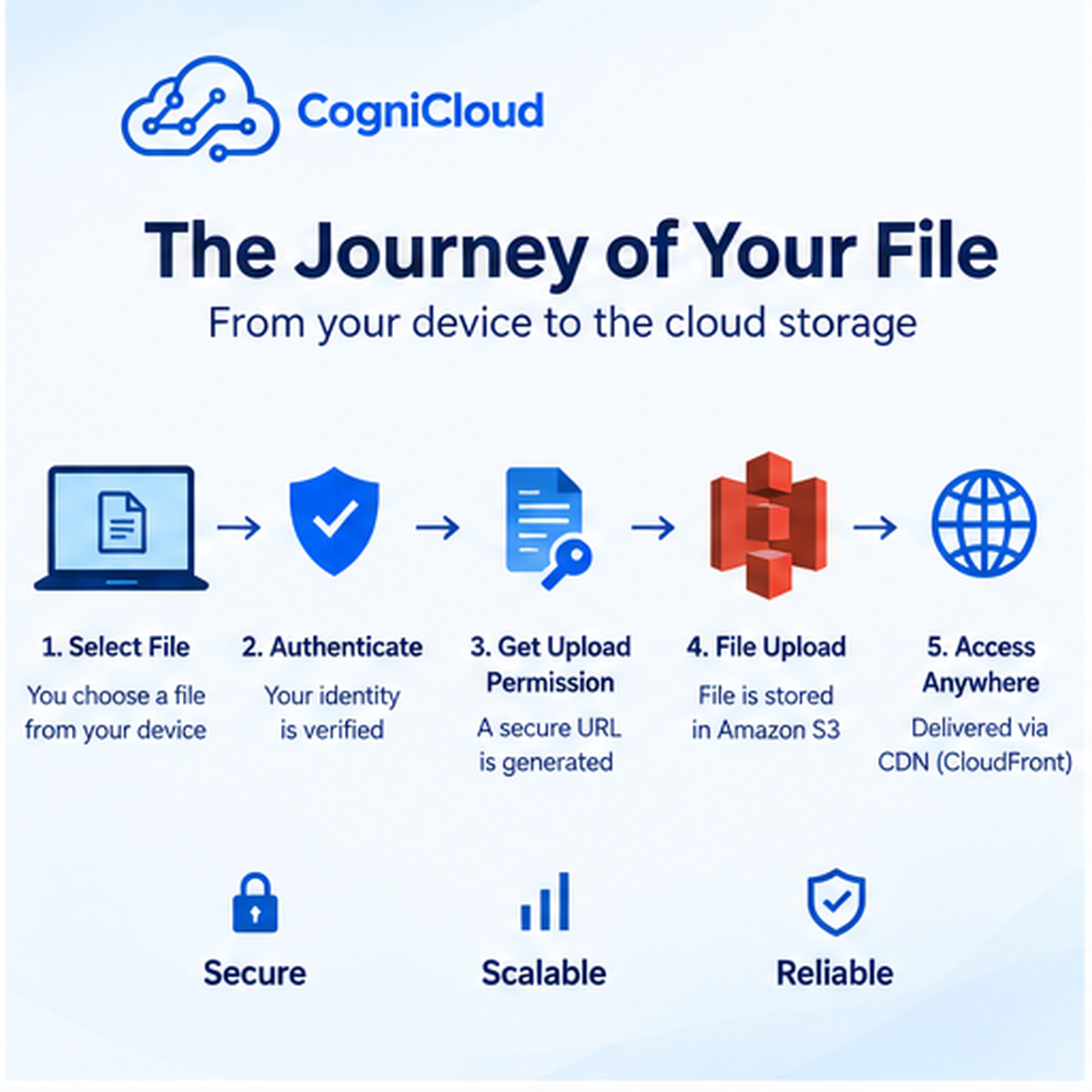
4. The Backend May Generate a Presigned URL
Here is where the architecture gets interesting.
Instead of sending a large file through your application server, the backend can generate a temporary presigned URL.
The simplified flow becomes:
Browser
   ↓
Backend
   ↓
Generate temporary upload permission
   ↓
Presigned URL
   ↓
Browser uploads directly to S3
The backend effectively says:
"This authenticated user is allowed to upload this specific object for a limited period."
The browser can then upload directly to cloud storage.
This can reduce the amount of file traffic passing through your backend.
5. The File Travels Over HTTPS
Once the upload begins, the browser sends the file over an encrypted HTTPS connection.
For a large file, the transfer can take time.
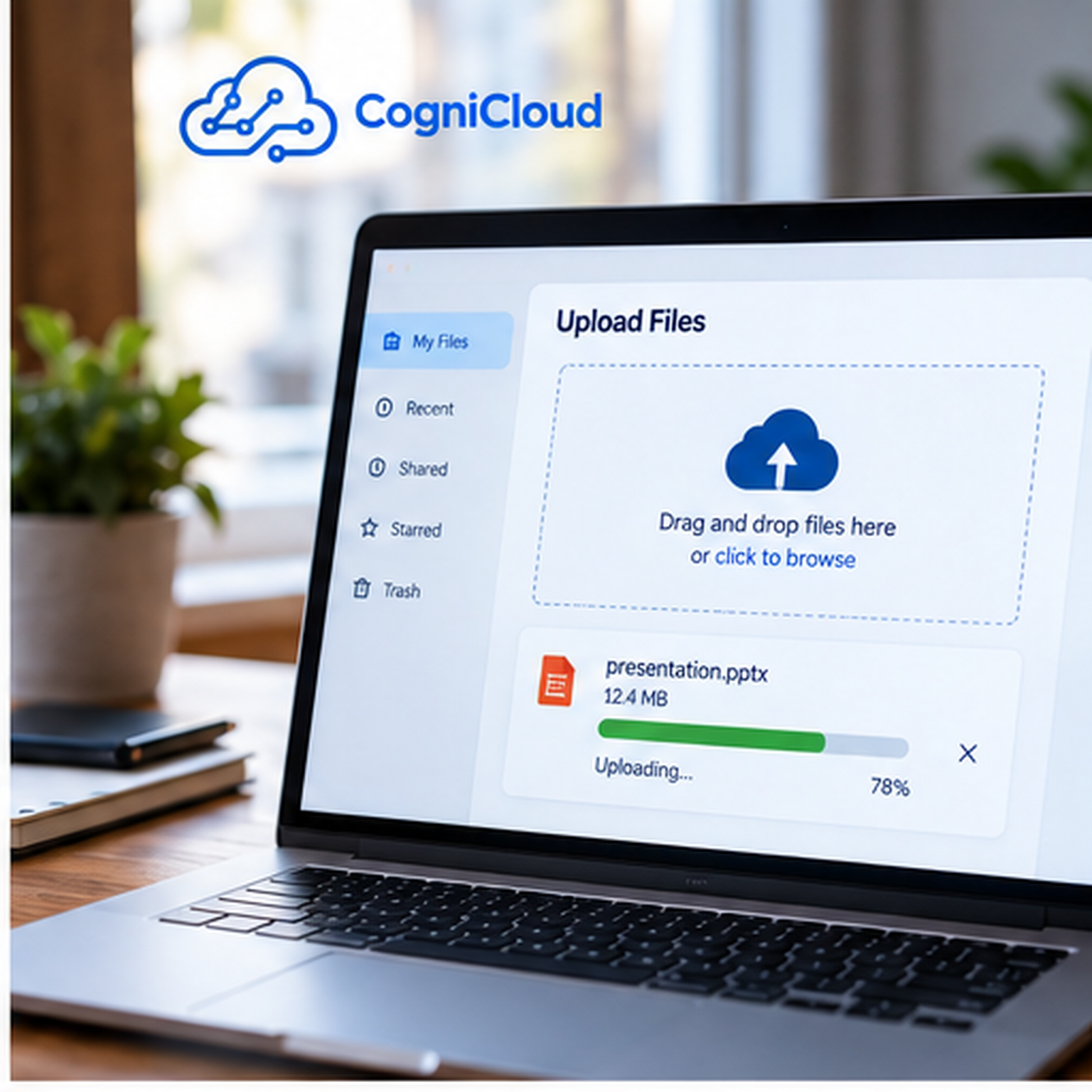
The application may display:
Uploading...

Project_Report.pdf
██████████████░░░░░░ 68%
The actual network journey involves packets moving through multiple networks before reaching the cloud infrastructure.

The exact path depends on networking conditions, routing, geography, and the cloud service involved.
6. Cloud Storage Receives the Object
When the upload reaches Amazon S3, the file becomes an object inside a bucket.
A simplified structure might look like:
cognicloud-uploads/
    tenants/
        tenant-123/
            documents/
                project-report.pdf
The object can have metadata associated with it, including information such as:
- Content type
- Object size
- Storage class
- Encryption settings
- Custom metadata
- Object key
The storage key is particularly important.
Two users may both upload:
profile.png
but the application should normally store them under different keys.
For example:
users/101/profile.png
users/204/profile.png
The filename users see does not have to be the same as the internal storage key.
7. Your Database May Store the File's Metadata
The file itself and its business metadata are often separated.
For example, your PostgreSQL database might contain:
file_id: 8d7...
tenant_id: tenant-123
original_name: project-report.pdf
storage_key: tenants/tenant-123/documents/8d7...pdf
content_type: application/pdf
size: 2516582
This gives the application a reliable way to connect business records with cloud objects.
For a SaaS application, this becomes even more important because every file must remain associated with the correct tenant.
8. Security Controls Protect the Upload
A production file-upload system should not simply accept every file from every user.
It can enforce controls such as:
- Authentication
- Authorization
- File-size limits
- Allowed content types
- Malware scanning
- Encryption
- Tenant isolation
- Temporary upload permissions
- Audit logging
- Access expiration
For example, a presigned URL can have a short lifetime.
That means a URL generated for an upload today should not become a permanent public permission to write into your storage bucket.
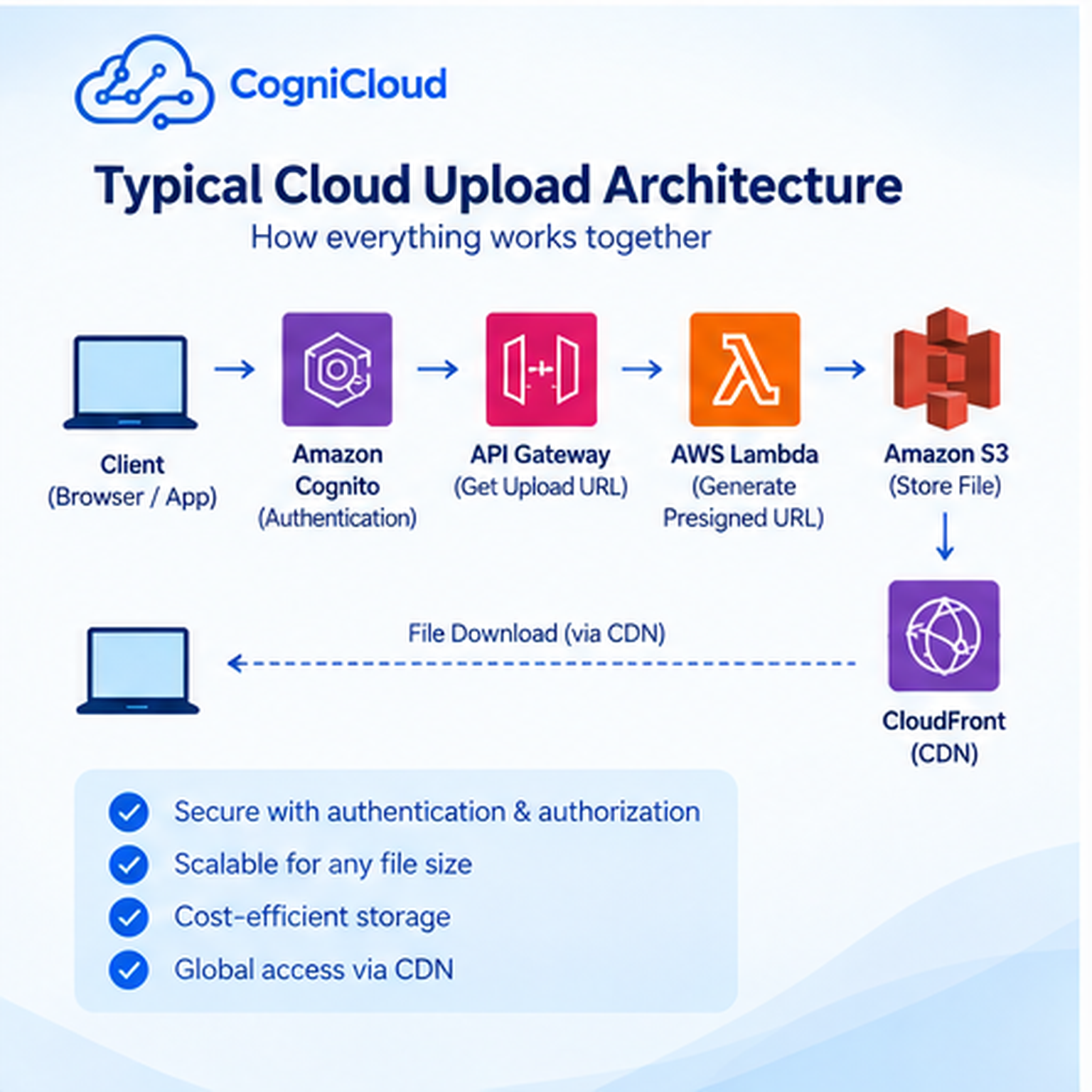
Security is not one feature added at the end.
It is part of the upload architecture from the beginning.
9. What About Large Files?
Uploading a small PDF is easy.
Uploading a multi-gigabyte video is a different problem.
Large uploads can be affected by:
- Unstable connections
- Browser interruptions
- Network latency
- Timeouts
- Memory usage
- Long upload durations
Cloud storage services can support multipart upload patterns where a large file is divided into smaller parts.
Conceptually:
Large File
   ↓
Part 1 ─┐
Part 2 ─┤
Part 3 ─┼──→ Cloud Storage
Part 4 ─┤
Part 5 ─┘
If one part fails, the application may be able to retry that part instead of restarting the entire upload.
That makes large-file uploads much more resilient.
10. The Upload Is Not Always the End
Suppose the user uploads an image to an e-commerce platform.
The application may need to do more work after the upload.
For example:
Upload
  ↓
Store original image
  ↓
Generate thumbnails
  ↓
Optimize image
  ↓
Extract metadata
  ↓
Update database
  ↓
Publish event
An asynchronous workflow can handle these additional tasks.
For example, an object-created event could trigger a serverless function or queue-based worker.
This is one reason cloud applications often use event-driven architecture around file storage.
11. How Does the File Reach Users Quickly?
Storing a file in cloud storage is only one part of the story.
If thousands of users need to download the same asset, repeatedly serving it from a single origin may not be ideal.
A Content Delivery Network (CDN) can help.
The simplified architecture becomes:
User
  ↓
Nearest CDN Edge
  ↓
Cached File
  ↓
Origin Storage
The CDN can cache frequently requested content closer to users.

For public assets such as product images, documentation assets, or website files, this can significantly improve delivery performance.
Private files require additional access controls.
12. The User Finally Gets a Download or View URL
After the upload completes, the application can provide the user with access to the file.
Depending on the use case, that might be:
- A public URL
- A signed download URL
- A CDN URL
- A temporary access link
- An application route that checks permissions before serving the file
For private documents, a temporary signed URL is often preferable to making the object publicly accessible.
The important principle is:
The URL used to access a file should reflect the security requirements of that file.
13. So What Actually Happened?
Let's simplify the entire journey.
1. User selects a file
          ↓
2. Browser prepares the upload
          ↓
3. Application authenticates the user
          ↓
4. Backend checks permissions
          ↓
5. Backend generates upload permission
          ↓
6. Browser sends the file over HTTPS
          ↓
7. Cloud storage receives the object
          ↓
8. Database stores file metadata
          ↓
9. Events may trigger processing
          ↓
10. CDN can distribute the file
          ↓
11. User receives secure access
What looked like:
Click → Upload → Done
was actually a small distributed system working behind the scenes.
Why This Architecture Matters
The interesting lesson is not simply that files can be stored in the cloud.
It is that modern applications separate responsibilities.
The browser handles user interaction.
Authentication establishes identity.
The backend controls business rules and permissions.
Object storage handles the actual file.
The database stores application metadata.
Queues and events can trigger background processing.
CDNs can accelerate delivery.
Each component does a specific job.
That separation makes systems easier to scale, secure, and maintain.
A Simple Architecture for a Modern Web Application
For many applications, a practical architecture might look like:
                   ┌───────────────┐
                   │    Browser    │
                   └───────┬───────┘
                           │
                    HTTPS / Auth
                           │
                   ┌───────▼───────┐
                   │  API / Backend│
                   └───┬───────┬───┘
                       │       │
              Metadata │       │ Presigned URL
                       │       │
               ┌───────▼───┐   │
               │ PostgreSQL│   │
               └───────────┘   │
                               ▼
                         ┌───────────┐
                         │  Amazon   │
                         │    S3     │
                         └─────┬─────┘
                               │
                              CDN
                               │
                               ▼
                            Users
This pattern can be adapted to profile pictures, product images, documents, videos, invoices, reports, backups, and many other use cases.
Final Thoughts
The next time you click Upload, remember that the file may be taking a surprisingly sophisticated journey.
Your browser is communicating with application services.
Authentication determines who you are.
Authorization determines what you can do.
Cloud storage holds the actual object.
Databases keep track of the information around it.
Events can trigger additional processing.
CDNs can bring the content closer to users.
All of that can happen behind one small button.
That is one of the fascinating things about modern software engineering:
The simpler an application feels to the user, the more carefully the systems behind it often need to be designed.
Sources and Further Reading
- Amazon S3 storage, buckets, objects, and core concepts
- Time-limited upload and download access
- Uploading large objects in multiple parts
- CDN delivery and global edge locations
- How web applications work with user-selected files
- HTTP requests, responses, and browser-server communication
- HTTPS and TLS-encrypted communication