
What Actually Happens When You Enter a URL in Your Browser?
You type a URL into the address bar, press Enter, and a webpage appears.
It feels almost instantaneous.
But behind that simple action is a chain of systems working together: the browser, DNS, networking protocols, security layers, web servers, databases, JavaScript engines, and rendering systems.
Understanding this process gives developers a much better mental model of the web.
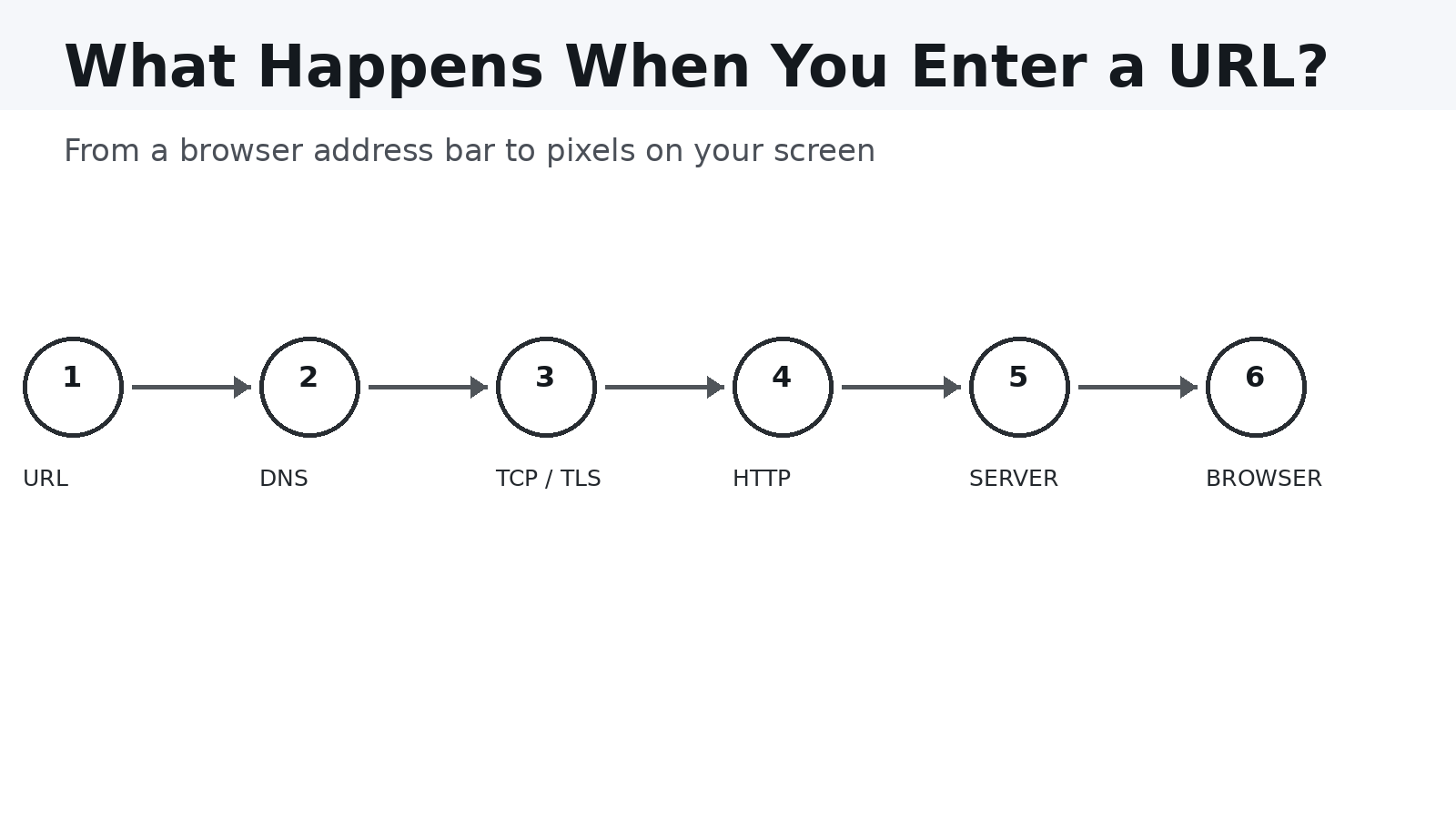
The Short Version
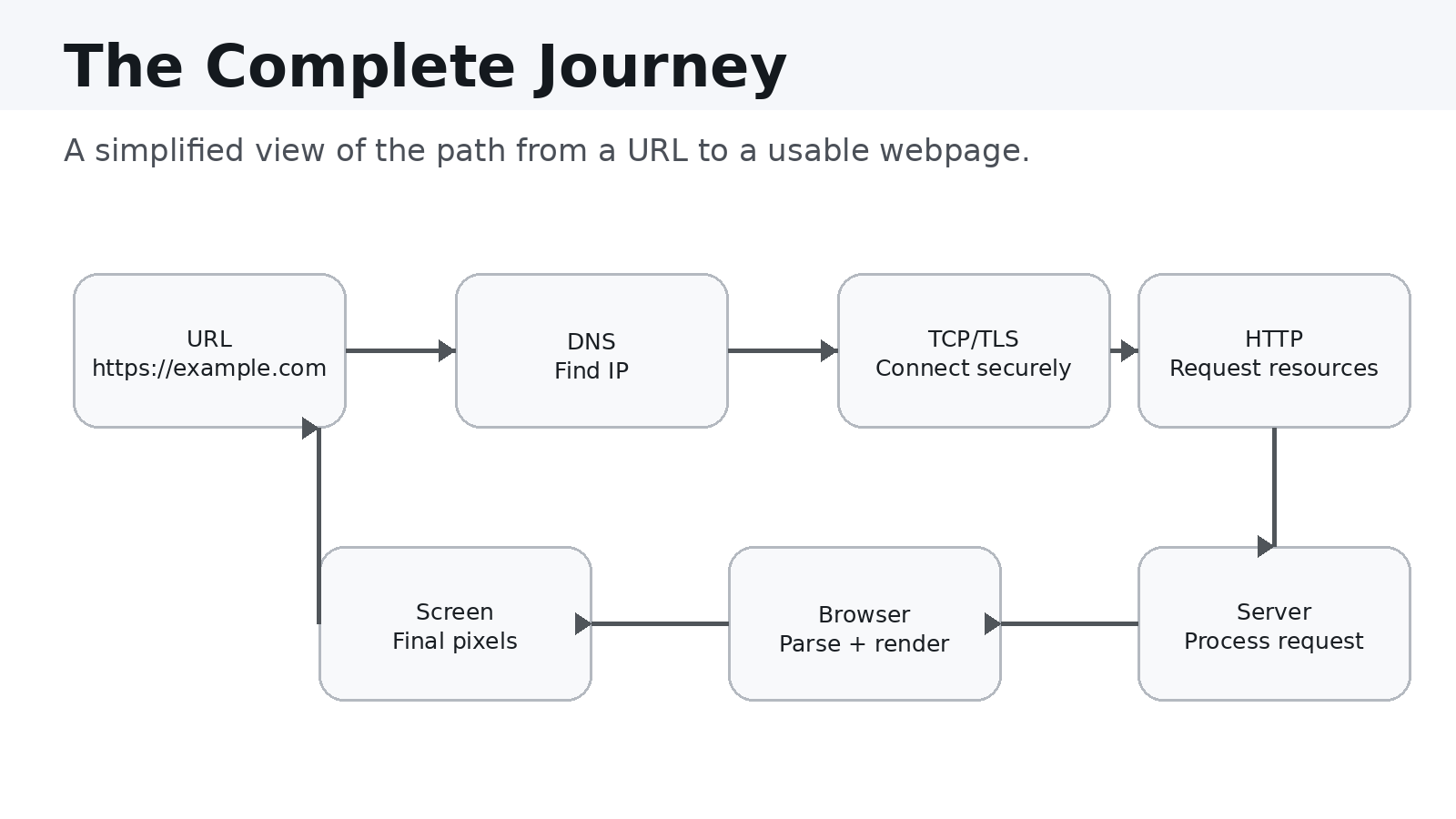
When you enter a URL, a simplified version of the journey looks like this:
URL → DNS → TCP/TLS → HTTP → Server → Browser → Pixels
Each stage solves a different problem.
- URL tells the browser what resource you want.
- DNS finds the server's IP address.
- TCP establishes a reliable connection.
- TLS encrypts HTTPS communication.
- HTTP carries the request and response.
- The server processes the request and returns resources.
- The browser parses and renders those resources.
Now let's walk through the process.
1. You Enter a URL
Suppose you enter:
https://example.com/products
A URL contains several important pieces:
- Protocol:
https - Domain:
example.com - Path:
/products
The browser uses this information to determine how and where to request the resource.
2. The Browser Checks What It Already Knows
Before contacting external systems, the browser can use information it already has, including browser cache, DNS cache, existing connections, and service workers.
Caching can make repeat visits dramatically faster because valid resources may not need to be downloaded again.
3. DNS Finds the Server
Humans prefer names such as example.com, while networks ultimately
communicate using IP addresses.
DNS, or the Domain Name System, translates a domain name into an IP address.
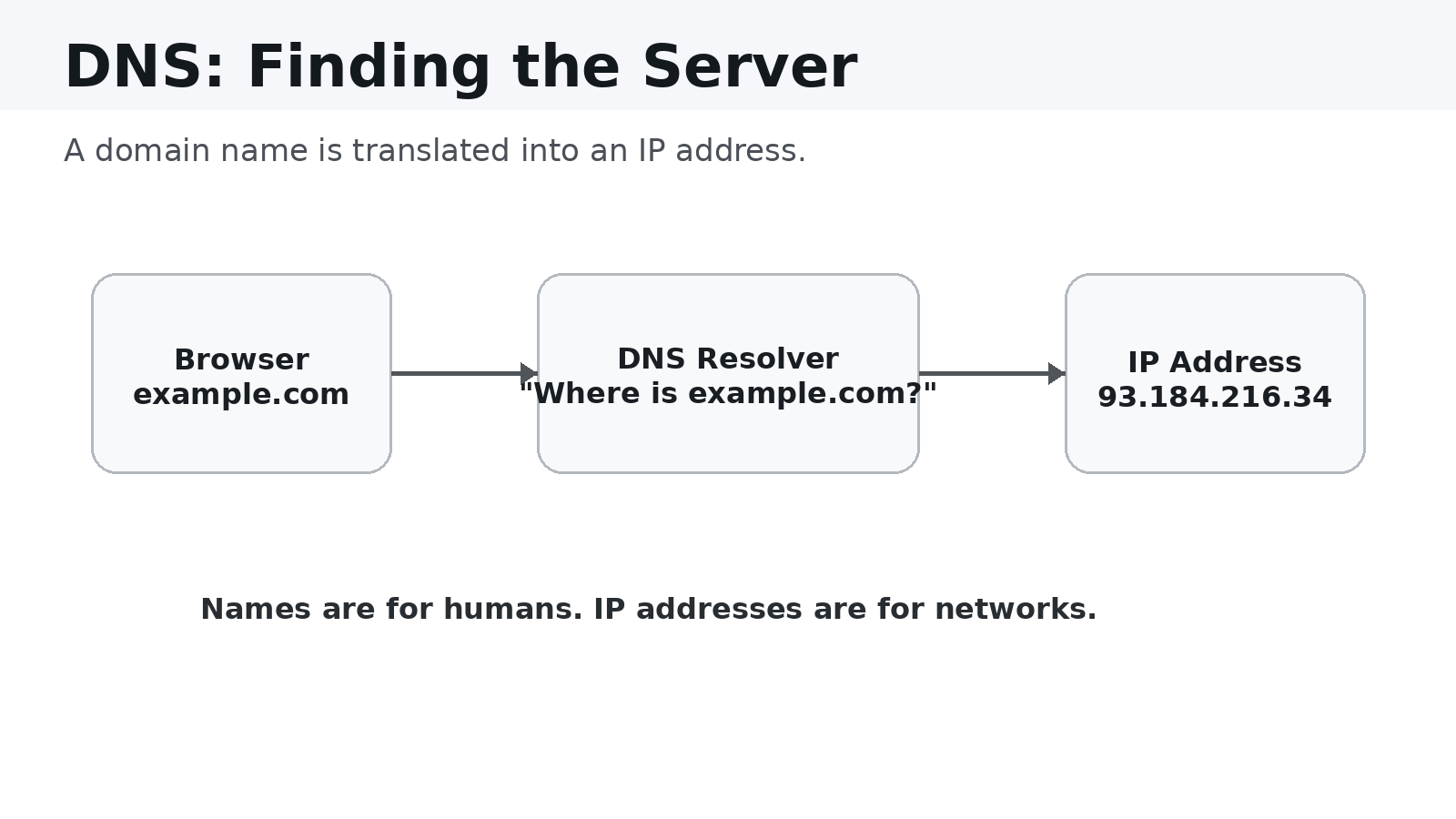
A simplified flow is:
Browser → DNS Resolver → DNS Infrastructure → IP Address
The actual DNS process can involve multiple layers and cached records, but the basic purpose is simple:
DNS answers the question: "Where should I send this request?"
4. The Browser Establishes a Network Connection
Once the browser knows the destination IP address, it needs a connection to the server.
Traditionally, web communication uses TCP for reliable transport. TCP establishes a connection through a handshake:
Client → SYN
Server → SYN-ACK
Client → ACK
Modern web protocols can use other transports, such as QUIC for HTTP/3, but TCP remains fundamental to understanding traditional HTTP/1.1 and HTTP/2 connections.
5. HTTPS Adds Encryption
If the URL starts with https://, the communication is protected using
TLS.
TLS provides important security properties, including encryption, server authentication, and protection against tampering.
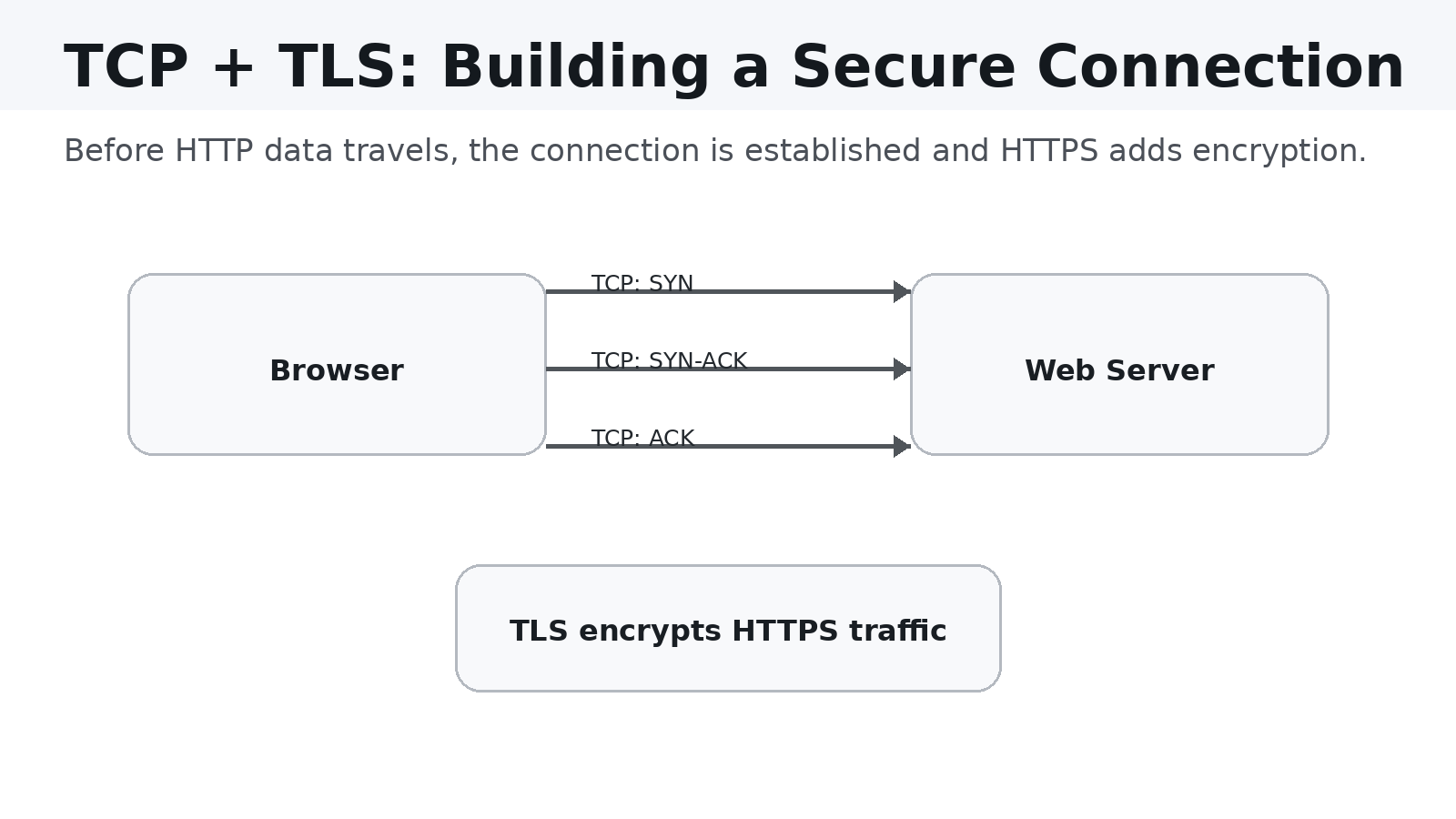
The browser verifies the server's certificate and negotiates cryptographic keys before protected application data is exchanged.
6. The Browser Sends an HTTP Request
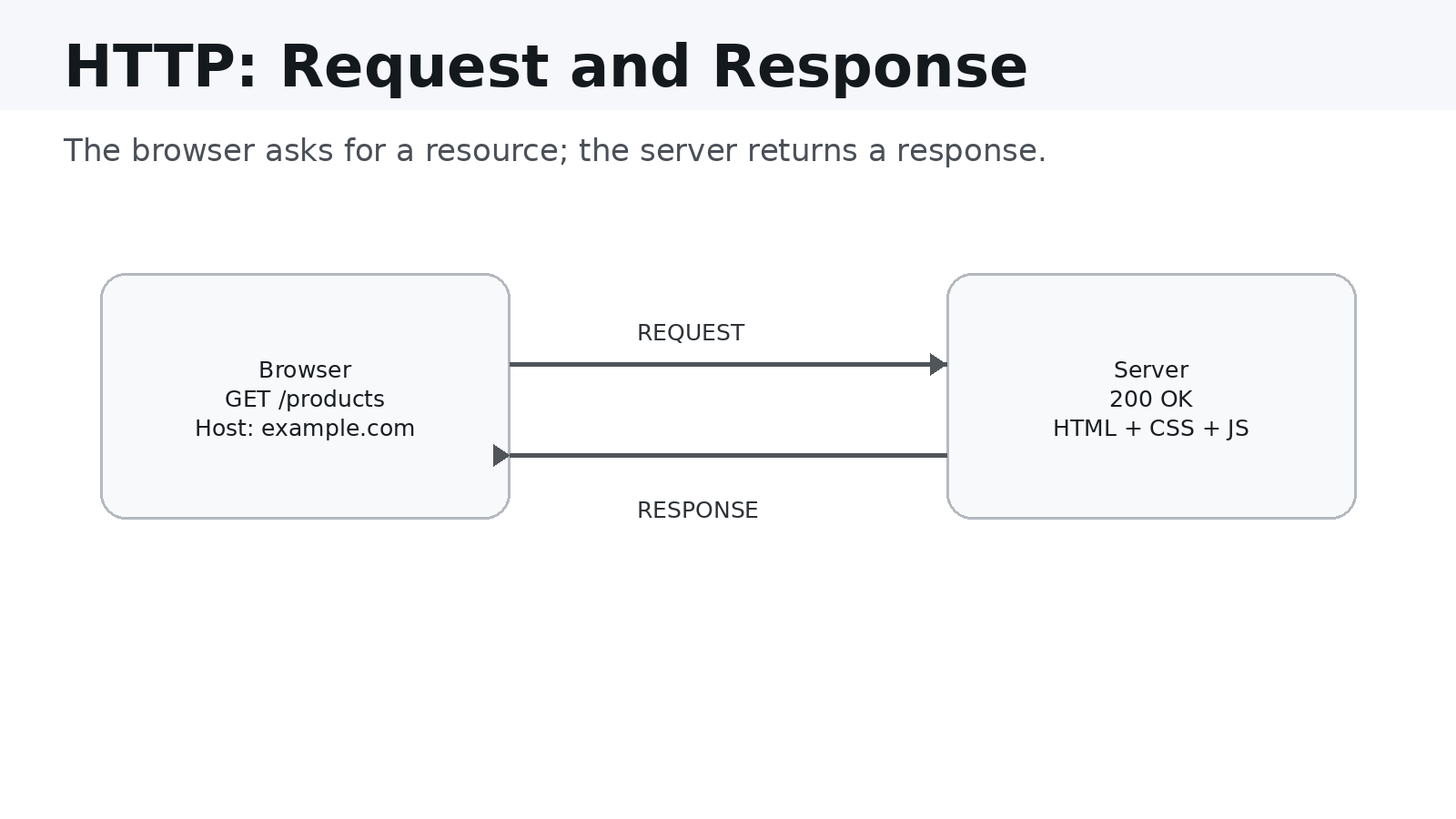
Now the browser can send an HTTP request.
GET /products HTTP/1.1
Host: example.com
Accept: text/html
The request tells the server what the browser wants.
HTTP requests can also contain headers, cookies, query parameters, request bodies, and authentication information.
For example, a POST request might send JSON data to an API:
{
  "productId": 123,
  "quantity": 2
}
7. The Server Processes the Request
The request reaches a web server or application infrastructure.
The server might need to:
- Authenticate the user.
- Validate the request.
- Execute application logic.
- Query a database.
- Call another API.
- Generate HTML or JSON.
- Return the response.
For a simple static website, the server might return a file directly. For a dynamic application, the request could trigger considerably more processing.
Browser
   ↓
Load Balancer
   ↓
Web Server
   ↓
Application
   ↓
Database
   ↓
Application
   ↓
Response
8. The Server Sends an HTTP Response
The server eventually sends a response.
HTTP/1.1 200 OK
Content-Type: text/html
The status code tells the browser what happened.
Status Meaning
200 Request succeeded
301 / 308 Redirect
304 Use cached version
400 Bad request
401 Authentication required
403 Forbidden
404 Resource not found
500 Server error
The response may contain HTML, CSS, JavaScript, images, fonts, JSON, or other resources.
9. The Browser Starts Parsing HTML
Receiving HTML is not the end of the process.
The browser parses the HTML and builds the DOM (Document Object Model).
For example:
<h1>Hello World</h1>
<p>Welcome to my website.</p>
becomes an internal representation that the browser can work with.
The browser also discovers additional resources referenced by the HTML:
<link rel="stylesheet" href="/styles.css">
<script src="/app.js"></script>
<img src="/hero.jpg">
Each resource may trigger additional network requests.
10. CSS Determines How the Page Looks
HTML describes structure.
CSS describes presentation.
The browser parses CSS and determines colors, fonts, sizes, spacing, positioning, responsive behavior, and visibility.
The browser then combines document structure with styling information to determine how elements should appear.
11. JavaScript Makes the Page Interactive
Modern websites rarely stop at HTML and CSS.
JavaScript can:
- Fetch API data
- Update the DOM
- Respond to clicks
- Validate forms
- Manage application state
- Animate interfaces
- Communicate with WebSockets
- Update content without a full page reload
For a React application, JavaScript executes application code that manages components and UI state.
12. The Browser Calculates Layout and Paints the Page
Eventually, the browser needs to turn all this information into something you can see.
A simplified rendering pipeline looks like:
HTML → DOM + CSS → Layout → Paint → Pixels
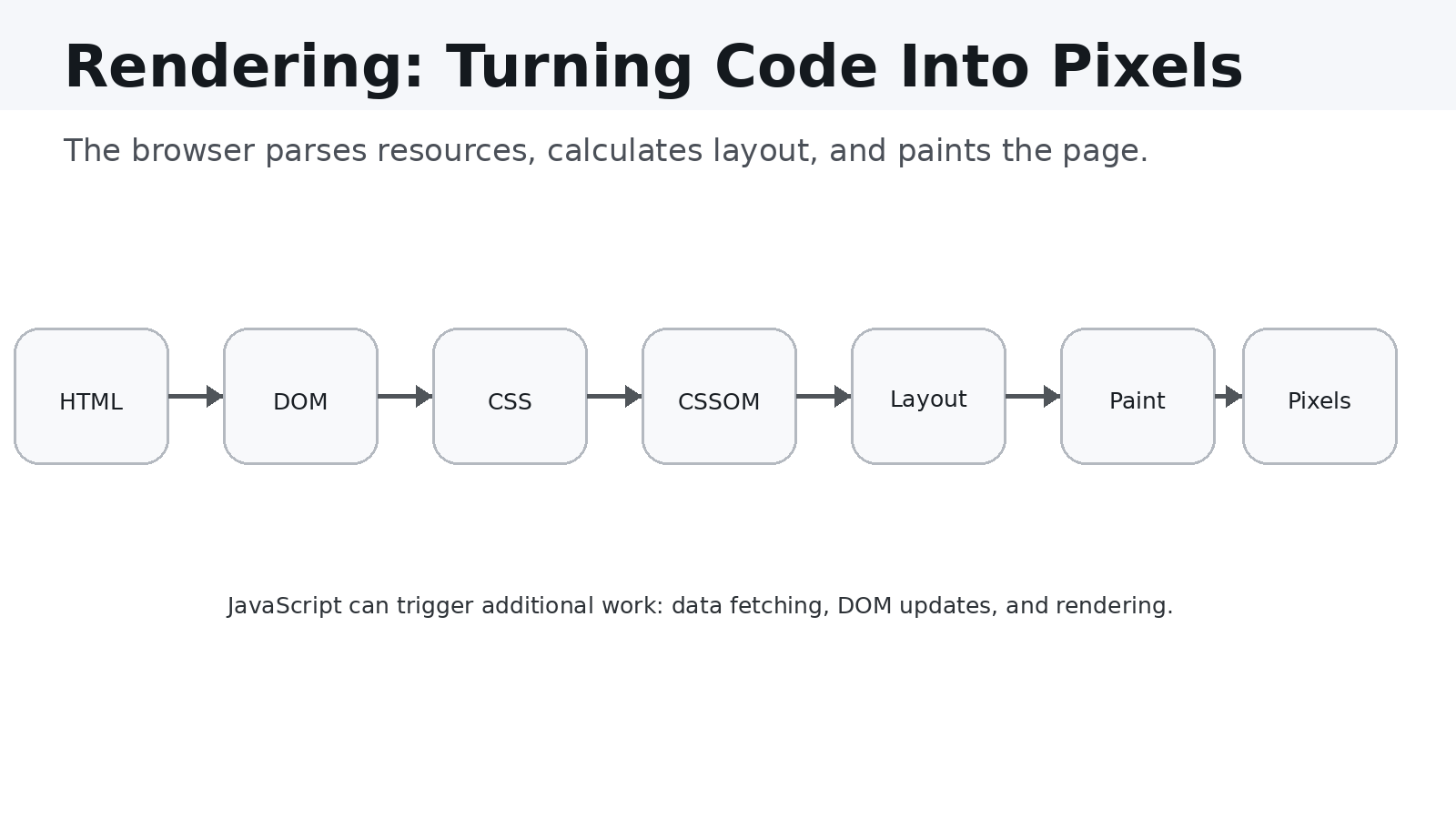
Layout
The browser calculates where elements should appear and how much space they should occupy.
Paint
The browser determines the visual representation of those elements.
Compositing
Modern browsers may then combine different layers efficiently before presenting the final result.
13. The Process Doesn't Necessarily Stop There
A page that appears visible can continue doing work.
JavaScript may still be:
- Loading API data
- Fetching images
- Hydrating components
- Processing user state
- Establishing WebSocket connections
- Rendering additional content
This is why "the page appeared" and "the page finished loading" are not necessarily the same thing.
14. Where Performance Problems Come From
A slow website might have:
- Slow DNS resolution
- Network latency
- Slow server response
- Large images or JavaScript bundles
- Too much JavaScript
- Expensive rendering
- Poor caching
Performance optimization is therefore not just a frontend problem.
It can involve:
Network + Backend + Database + CDN + Browser + Frontend
15. A Modern Web Request Is a Distributed System
A production request may involve:
User
 ↓
Browser
 ↓
DNS
 ↓
CDN
 ↓
Load Balancer
 ↓
Web / API Server
 ↓
Cache
 ↓
Database
 ↓
External APIs
Each layer can introduce latency, failure, security concerns, scaling requirements, and operational complexity.
This is why web development becomes much easier when you understand the infrastructure underneath the framework.
The Complete Journey
Enter URL
   ↓
Check browser/cache state
   ↓
Resolve domain through DNS
   ↓
Establish network connection
   ↓
Negotiate TLS for HTTPS
   ↓
Send HTTP request
   ↓
Server processes request
   ↓
Server returns response
   ↓
Browser parses HTML
   ↓
Browser loads CSS/JS/images
   ↓
JavaScript executes
   ↓
Browser calculates layout
   ↓
Browser paints pixels
   ↓
User interacts with the page
What looks like a single action---pressing Enter---is actually a coordinated sequence of systems.
Why Developers Should Understand This
Frameworks make development faster.
React makes UI development easier. Node.js makes backend development easier. Cloud platforms make infrastructure easier to deploy.
But abstractions can hide important concepts.
When something goes wrong, developers who understand the underlying system can reason about the problem more effectively.
If an API is slow, you can ask:
- Is DNS slow?
- Is network latency high?
- Is the server slow?
- Is the database query inefficient?
- Is an external API slow?
- Is the response too large?
- Is the browser spending too much time rendering?
That mental model is more valuable than memorizing isolated technologies.
Final Takeaway
The next time you type a URL and a webpage appears almost instantly, remember that the browser is coordinating a surprisingly complex process.
URL → DNS → Connection → HTTPS → HTTP → Server → Resources → JavaScript → Rendering → Pixels
Understanding that journey gives you a stronger foundation for frontend, backend, cloud, networking, and performance engineering.
The frameworks will continue to change.
The fundamentals will remain.
Quick Reference
Layer Main Responsibility
URL Identifies the requested resource DNS Resolves domain names TCP / QUIC Provides network transport TLS Secures HTTPS communication HTTP Transfers requests and responses Server Processes application requests Database Stores and retrieves data HTML Defines document structure CSS Defines presentation JavaScript Adds behavior and interactivity Browser Parses, executes, lays out, and paints Screen Displays the final pixels
Conclusion
The web can feel simple because browsers hide most of the complexity from us.
That is exactly what good abstractions are supposed to do.
But as developers, understanding what happens underneath those abstractions helps us build better applications, diagnose problems faster, and make better architectural decisions.
So the next time you enter a URL, don't just think:
"The website is loading."
Think:
"A distributed system just started working."
Suggested Social Posts
What actually happens when you type a URL into your browser and press Enter?
It looks simple, but a lot happens in milliseconds:
URL → DNS → TCP/TLS → HTTP → Server → Browser → Pixels
Understanding this request lifecycle is one of the most useful foundations for any web developer.
I wrote a practical walkthrough covering DNS, HTTPS, HTTP requests, servers, browser rendering, JavaScript, and performance.
#WebDevelopment #JavaScript #Frontend #Backend #Networking #SoftwareEngineering
X
You type a URL.
Press Enter.
A webpage appears.
But underneath, the browser has just coordinated DNS, networking, TLS, HTTP, servers, JavaScript, and rendering.
I broke down the complete journey from URL → pixels.
#WebDev #JavaScript #Programming
Ever wondered what actually happens after you type a website address and press Enter?
Your browser goes through a surprisingly complex process involving DNS, HTTPS, HTTP, servers, databases, JavaScript, and rendering.
This article breaks the entire journey down in simple terms.
#WebDevelopment #Programming #Technology